Over time certain conventions and best practices have been developed to help improve the general usability of websites during their design and build. This roundup of ten usability crimes highlights some of the most common mistakes or overlooked areas in web design and provides an alternative solution to help enhance the usability of your website.
Crime 1: Form labels that aren’t associated to form input fields
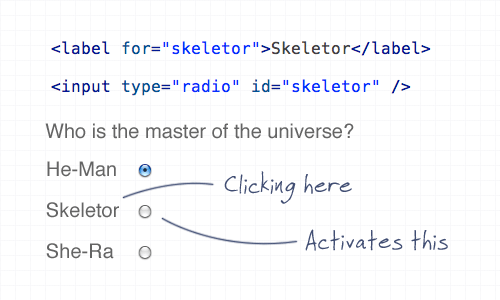
Using the ‘for’ attribute allows the user to click the label to select the appropriate input fields within a form. This is especially important for checkboxes and radio fields to give a larger clickable area, but it’s good practice all round.
Crime 2: A logo that doesn’t link to the homepage
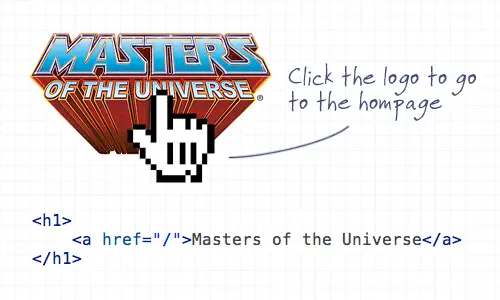
Linking the logo of a website to the homepage has become common practice and is now second nature for (most) web surfers to expect the logo to head back home. It’s also worth mentioning the logo should appear in the top left.
Crime 3: Not specifying a visited link state
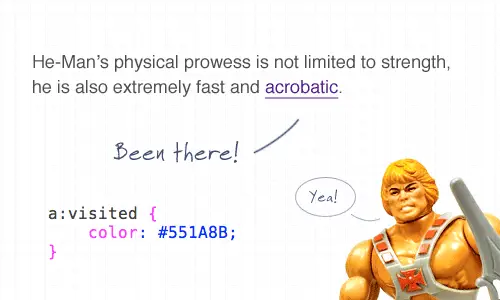
Visited link states do exactly as they say on the tin. It’s not the most advanced CSS selector, but it’s one that is often overlooked. Give users a visual clue as to which link has already been clicked.
Crime 4: Not indicating an active form field
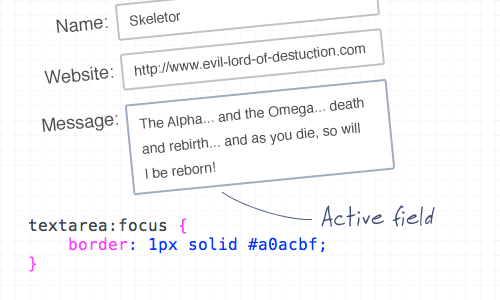
You can use the ‘:focus’ selector on lots of elements, but it’s super handy when used on inputs and textareas to indicate that the field is active. Add CSS styling such as a highlighted border, or a subtle change to the background color.
Crime 5: An image without an alt description
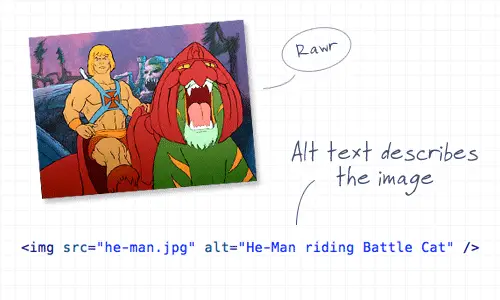
This is straying a little into the realm of accessibility, but it’s still an important consideration! Remember to always add a descriptive alt attribute to your images, unless of course they are used for decorative purposes, then the ALT attribute can be left empty (but should still exist!). When using an image as a link, enter a description of where the link goes.
Crime 6: A background image without a background color
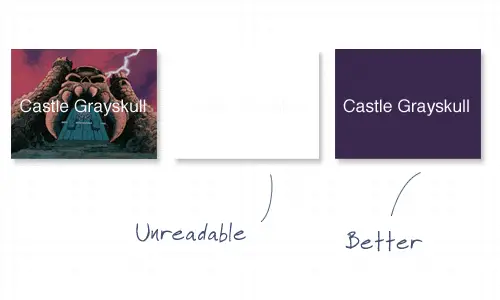
It’s common to use background images behind passages of text, but it’s worth remembering that if background images are disabled by the user, there needs to be a similar tone in the form of a background colour to avoid the text becoming unreadable.
Crime 7: Using long boring passages of content
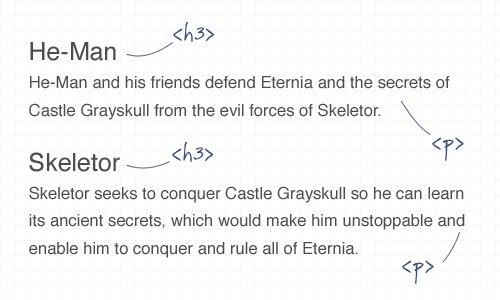
There’s nothing more off-putting than landing on a webpage that’s laid out as a continuous passage of text. Break up your content with images, headings and clear sections to make it easier to scan, read and digest.
Crime 8: Underlining stuff that isn’t a link
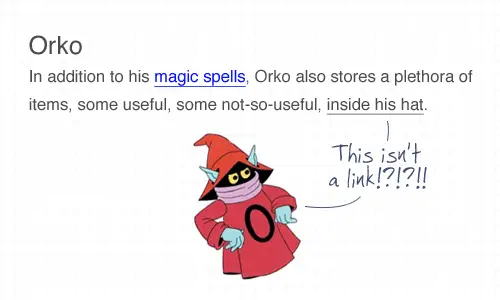
Everyone knows that text that’s underlined, or is a different colour is likely to be a link. Don’t go confusing people by throwing in underlined text elsewhere! To draw attention to a certain word, try using the strong or emphasize tags instead.
Crime 9: Telling people to click here
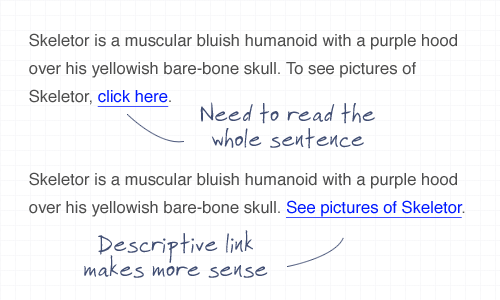
The words click here have been around since the dawn of the Internet, but have been shunned aside in favour of more usable options. Using the words click here requires the user to read the whole sentence to find out what’s going to happen. Instead, describe what’s going to happen in the actual anchor link text.
Crime 10: Using justified text
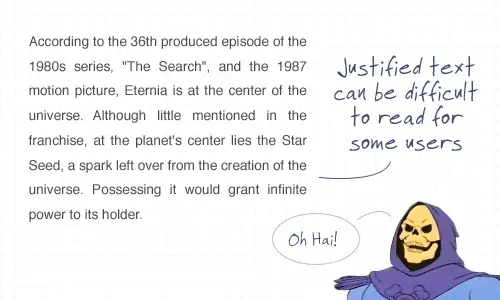
This is another tip that’s heading a little deeper into accessibility but is also an important point to consider. Justified text might look at neat and square to the eye, but it can generate some real readability problems, particularly for Dyslexic users who can find it troublesome to identify words due to the uneven spacing of justified paragraphs.

Very nice, as usual!
Some of these points are accessibility not usability. It doesn’t really matter for usability whether an image has an alt description but it does matter to the badly sighted
No, alt attributes have to do with usability also. If images are turned off, and the image is important to the content, then you need to have an alt description so the user knows what it is. This is particularly important when using images for links or to simulate form buttons.
Some things fall under accessibility and usability.
I would say for your site to be truly usable you cannot make assumptions as to how the user is viewing the site.
If the images can’t be served up for some reason, or if someone has images disabled, it would still be nice if they could use the site and understand the content.
A number of accessibility features are not just to allow those with disabilities to use the site, but to provide valuable alternatives for anyone who is unable to browse the site in the way you may have expected them to.
In essence accessibility is a subset of usability.
Accessibility is usability in special cases; it’s a subset relationship.
Additionally, improvements of accessibility almost always result in usability improvements for the general population: closed captioning on TVs in crowded bars, ramps when you’re moving things with a cart or dolley, etc.
Whether it’s usability or accessibility it doesn’t matter. On an img tag, *both* of the src and alt attributes are mandatory.
usability includes designing for the badly sighted, surely?
These are Usability points. Accessibility is part of usability & relates specifically to users with special/different human factors such as age, partial blindness, limited dexterity, etc that influence their use and/or performance when using a UI.
These points wouldn’t really assist such users as they do not target their human factors. They are aimed at a general user type.
e.g.1: ALT tag on an image likely produces text smaller than its image. That doesn’t benefit partially sited person, but does help general users if images are off.
e.g. 2: Structure of Text (#7): This aids users who scan to find content rather than having to read. Also “chunks” info, which human process more effectively – provided they can read. Not accessibility.
e.g. 3: Visited Links: this is to prevent erroneous navigation. This is general and not accessibility.
Basically, these points will help make your UI more usable for a general user but will not necessarily make your UI more accessible to different types of users (aged, partial cited, limited motor skills, etc.).
Crime #1 and #10 – good points;
I hate to click on radio-buttons or chekboxes – it is really painfull if you browse the web on a large screen.
Regarding #10 – used to work for an agency that always asked me to justify all content; could not convince them that web site is not a book and text looks silly…
Interesting, I really hate it when the text is linked to the radio button and would not be an advocate of #1.
I hate the people who make page areas clickable.
It means that now I cannot click on an area of the page and switch to my keyboard for further work. Especially since this area is not marked like with an underlined link.
As a user I find crime 9 should be avoided.
It’s fast & users don’t have to read the whole paragraph.
Crime 2: Would you say that applies to the homepage as well. I have my opinion, but I thought I would get your thoughts.
“To draw attention to a certain word, try using the strong or emphasize tags instead.”
Only if those words are intended to be read aloud with emphasis. For instance, a word that would naturally be read louder should be wrapped in strong tags. If aural emphasis is inappropriate and you intend only visual emphasis, you should use bold or italic tags in lieu of, respectively, strong and em. Otherwise, screen reader users will hear weird unintended emphasis. That is the key difference between those two related pairs of tags and why we have all of them available to us. You could use spans instead, but of course that relies on CSS being supported to present the visual emphasis, so you can end up with no emphasis at all.
WordPress is a major perpetrator of Crime 3. Every time I go to their site to research something, I use Firebug to add a visited state, because the titles of links are so similar and the site so deep, I get frustrated clicking to the same link I just read 5 minutes ago!
I can’t believe people actually do this… especially putting white text on white background…
Thank you for this very interresting article ! my rating is 8/10 ! :)
Youre crazy skeletor, good i dont knowed about images backgrounds, :S:S but i know
He-man! It was 25 years ago… very nice
New to the Line25 blog and a superb nugget of info from Chris.
Thanks pal!
(My site is in development)
Great stuff and useful must remember points for succesful web design. Short and crisply compiled :)
Thanks.
A great guide every webdev should consider.
And very funny pictured :)
awesome post. the last trick. i wonder how difficult it would be :D
Very informative post! Thank you. I learned something new. :)
Early and repeated user experience testing of websites has a huge positive impact. Following is a description of a new service (www.userlytics.com) that allows an easy and very affordable way of conducting these tests in a rapid manner:
The service can be used for any type of online property (websites, website prototypes, online adverts, search processes, etc).
It has a very attractive delivery speed and price point (24-48 hours from order, 299$ for a 5 person test). The features are as follows:
Clients define a target url (their own or that of their competition or best practice)
Clients define a goal for the testers to perform (e.g.; “find product x and take it through the checkout process..”)
Clients define the demographics of the kind of testers they would like
Clients define survey questions
Within 24-48 hours clients receive a report that includes, for a minimum of 5 testers:
Web cam recordings of the testers conducting their assigned goal/task
A synchronized recording of the entire screen session during the test
ClickFlow Analysis
Contextual written “bubble” commentary on screenshots
Survey results
Other quantitative data
Visitors to the site, http://www.userlytics.com, may order a free sample test.
Crime #11 : illustrate your titles describing the problems with pictures that illustrate randomly the solutions, the problems or a mix of the two.
Haha great post – bookmarking it. Very entertaining :)
Nicely illustrated, a lot of the stuff relates more to accessibility though. My favourite is underlying link that isn’t a link because I see it so often on the Internet.
Nice read!
You misspelled homepage in your illustration for #2.
Also, She-Ra and Orko are abominations in the He-Man canon.
Thank you, that is all.
Where is this this said He-Man website, with all the anti crimes of webdesign – it looks very funny, I would love to see it.
Gotta love the He-Man usage.
This is generally a good list, though I have some disagreements.
#2: Linking the logo to the homepage – sure. But that shouldn’t be the only link to your homepage. It is common practice for most *experienced* web users to use the logo as a link, but many web users aren’t experienced or “net savvy”, and it’s a mistake to assume that they are.
Also I take total issue with the argument that your logo should be in the top left. It often is, it can work well. But merely because something is common does *not* mean that is how it should always be. In fact that kind of attitude is what creates overly generic website design.
#3: I actually think this is becoming less of an issue. It’s far more rarely used these days, and I’ve rarely seen it be a problem either way.
#9: I’d go for a combination of the two examples given. Interestingly, there’s some decent data out there that suggests that including the word “click” actually leads to greater click through rates by users – perhaps because it’s a genuine call to action. Yes “click here” by itself has no context, but I’d probably use “Click to see pictures of Skeletor” in the example.
@robin – the logo goes in the top-left not because ‘that’s just how it’s done’, but because that is the *prime* location based on eyeball tracking. theres a design model referring to this, the “F” or “Upside down L” or something..
Its all been said before, but the way you said it, it now sounds even more important.
Great help! Thanks.
This tips are great but I desagree whit one of them, Not justified paragraphs? no no, that’s bad because the justified propertie is class, formality and education, I prefer to justify all my post a.y.c.s
The problem isn’t so much with justification, but with the way that current browsers render justified text. Until browsers provide high-quality justification (like TeX or other typesetting systems), justified text in browsers will just look ugly and be difficult to read.
great article!
I totally agree with every point.
I also love Orco… ;)
This is a nice little article and I love the He-man theme.
I’d argue the case for putting the labels of radio buttons to the right of the button though.
Awesome, you missed the point!
Good points all. Thanks for posting this!
Uh Oh!! I’ve been committing crime #9. :-/ Thanks for the tips!
Awesome post. I used to commit one or two crimes once in a while, but experience taught me the errors of my ways.
Ops, we all do this!
I agree with everything here, except for the part about not justifying text. Text justification is important to make the text flow with certain web designs. If you have a jagged line caused by unjustified text up against a straight line, it’s a little jarring.
Your argument regarding “crime” #5 might be more convincing if you followed your own suggested best practice on the web page wherein you describe said offense.
*grin*
Justifying text is not *necessarily* a crime. How much it changes the spaces depends on how many characters are in a line. I usually count the words and if there are an average of more than 10 per line then most people are not going to notice the difference in kerning. If that still messes it up for you, raise your “threshold.” Believe me at 20 words or 200 characters to a line you won’t notice the difference.
I know another crime which is demonstrated in Crime #1: Putting the radio button *after* the label instead of before it.
Hypocrite.. None of the images on this page contain alt’s for its images. The author here has violated Rule #5 of his own usability guide…
Your alt text example is misleading. “He-Man riding Battle Cat” is a title, not an alternative representation of the image.
excellent theory about usability.
There’s a shorthand for associating a label with a form element:
label:
Maybe I’m alone on this one, but I’d ass the inverse of #8: Underline Links. Period.
Setting you style to no underline (or underline on hover only) is a personal pet peeve. Why make it harder for users to find links?
Clearly I meant to type “add” in that first sentence :(
Nice post Chris, huge fan of your work keep it up!
Actual research shows that using ‘click here’ other other similar action verbs results in more click throughs than something vague like ‘Read more here’.
Best is to combine the action verb with the context in the link: ‘Click here to see more pictures’
Crime 11: Articles or blog posts with no visible date/time to let people know how old it is.
=)
On point #9 you need to balance the effect of call to action click through rate vs. description click through rate.
Even though “click here” is less descriptive it is common, comfortable and active. So, this is something that you should test for your audience.
Very nice article…
Especially its explained using He-man. My favorite cartoon character. ;)
I don’t really understand why is justify text a crime… could you explain it better? it’s a way to “organize” the content…
Over 14 years designing and developing websites and I’m still learning new things daily. …(ie. textarea:focus) … never used this. Thanks!
These are some great tips, on web design, shared on twitter and bookmarked for further reference thanks for bringing up some very important points.
These are all helpful and useful tips but the best part is that you proved/illustrated your point with He-Man. Fantastic
I dont commit any crimes except for the first one, d’oh! And I like the He Man theme :D