
Line25 is reader supported. At no cost to you a commission from sponsors may be earned when a purchase is made via links on the site. Learn more
Every hour a designer spends rebuilding a navigation bar, a card component, or a modal from scratch is an hour not spent solving actual design problems. Figma templates and UI kits exist to eliminate that waste. In 2026, the Figma Community has matured into one of the richest free design resources on the internet, with thousands of contributed files covering everything from full design systems to single-page website layouts.
Whether you are prototyping a new SaaS dashboard, designing a mobile app, or pitching a client concept, a well-chosen template can compress days of work into minutes. But not all templates are worth your time. This guide curates the best free Figma UI kits and templates available right now, explains what separates a useful template from a frustrating one, and gives you practical advice on integrating them into your workflow. While you are exploring new tools, make sure you are also keeping up with the latest Figma plugins that can supercharge how you use these templates.
What to Look for in a Good Figma Template
Not all free Figma templates are created equal. Downloading a poorly structured file can actually slow you down more than starting from scratch. Here is what to evaluate before committing to a template:
- Component structure: Good templates use Figma components and variants extensively. Every button, input field, and card should be a reusable component. If elements are ungrouped flat shapes, the template will be painful to customize.
- Auto Layout usage: Templates built with Auto Layout resize gracefully when you change content. Look for frames that adapt when you add or remove text rather than breaking apart.
- Styles and variables: Color styles, text styles, and (in newer files) Figma variables allow you to retheme a template with a few clicks. Without them, recoloring means hunting down every individual element.
- Page organization: A well-organized template uses multiple pages: a cover page, a component library page, and individual screen or section pages. Flat files with everything on one crowded canvas are harder to navigate.
- Last updated date: Figma updates its feature set regularly. Templates last updated before 2023 may not use newer features like variables, advanced prototyping connections, or Dev Mode annotations.
- Community rating and duplicates: High duplicate counts signal real-world usefulness. A template with 50,000 duplicates has been stress-tested by thousands of designers.
- Licensing clarity: Most Figma Community files are free to use in personal and commercial projects, but always check the file description for any restrictions.
Best Free Figma UI Kit Collections
UI kits are foundational component libraries rather than complete layouts. They give you the building blocks to assemble your own designs quickly.
1. Untitled UI
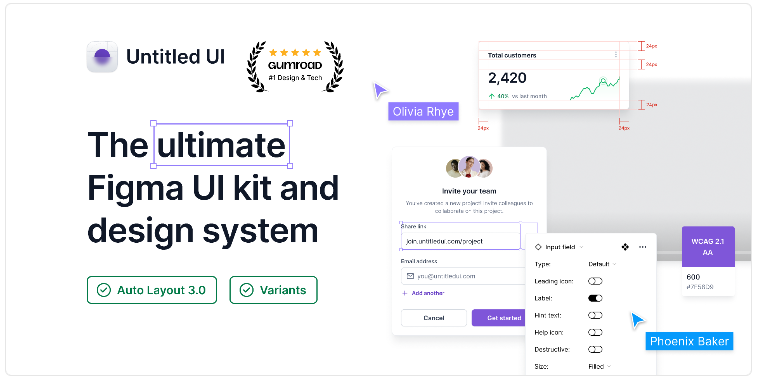
Untitled UI is the most comprehensive free Figma UI kit available and has earned its reputation as the community standard. The kit contains over 1,000 components across 120+ categories including forms, navigation, data display, feedback, and overlays. Every component is built with variables and supports both light and dark mode out of the box. The typography and color systems are fully tokenized, making white-labeling genuinely fast. Best for: SaaS products, dashboards, and any project that needs a production-ready component library. Download Untitled UI on Figma Community.
2. Material Design 3 Design Kit (by Google)
Google’s official Material Design 3 kit is the reference implementation of the Material You design language. It includes every component from the M3 specification: navigation bars, chips, dialogs, progress indicators, and more. The color system uses tonal palettes and dynamic color tokens that mirror the Android theming engine. Best for: Android app design, cross-platform products, and teams that need to align with Material guidelines. Download Material Design 3 Kit.
3. Apple iOS 18 UI Kit
Apple maintains an official iOS design resources kit that tracks the current iOS release. The 2025-2026 version covers iOS 18 components including the updated Control Center, Home Screen widgets, lock screen customization elements, and all standard UIKit components like tab bars, navigation bars, alerts, and action sheets. Best for: iOS app design and prototypes intended for App Store submission. Download Apple iOS UI Kit.
4. Shadcn UI Figma Kit
Shadcn UI took the developer world by storm as a copy-paste component library, and the community-created Figma counterpart has become equally popular among designers working on React projects. The kit mirrors the Shadcn component API closely, which means handoff between design and development is unusually smooth. Includes tables, forms, command palettes, calendars, and all core UI elements in both light and dark variants. Best for: Designers working alongside developers using Shadcn/UI or Radix UI. Download Shadcn UI Figma Kit.
5. Flowbite Design System
Flowbite is a Tailwind CSS component library with a rich Figma companion kit. All components map directly to Tailwind utility classes, which means the designs can be implemented in CSS with minimal translation effort. The kit covers over 400 components and includes a full icon set, form elements, and marketing sections. Best for: Teams building with Tailwind CSS who want design-to-code consistency. Download Flowbite Design System.
6. Primer Design System (by GitHub)
GitHub’s Primer is a battle-tested open-source design system that powers GitHub.com. The Figma kit includes all Primer React components, a comprehensive icon library (Octicons), and color modes for light, dark, and high-contrast themes. It is especially useful for developer tool interfaces, admin panels, and productivity applications. Best for: Dev tools, internal dashboards, and data-heavy interfaces. Download Primer Design System.
7. Radix UI Themes Kit
Radix Themes is one of the newer additions to the open-source design system landscape, and its Figma kit is exceptionally well-organized. Components use Figma variables for theming, and the color system supports multiple accent colors and gray scales. The minimalist aesthetic makes it versatile across product categories. Best for: Web apps with a clean, functional aesthetic. Download Radix UI Themes Kit.
8. Ant Design (by Ant Group)
Ant Design is one of the most widely used enterprise UI frameworks, and the official Figma kit comprehensively covers the entire component library. Tables, trees, date pickers, transfer lists, and complex data entry components are all included. If you are designing for enterprise software, this kit is practically a requirement. Best for: Enterprise applications, admin systems, and data management interfaces. Download Ant Design Kit.
9. Free Dashboard UI Kit
This community-contributed dashboard kit focuses specifically on analytics and data visualization components: charts, stat cards, progress rings, data tables, and sidebar navigation patterns. It fills a gap that general UI kits leave open by providing ready-to-use chart placeholder components with realistic data. Best for: Analytics dashboards, SaaS admin panels, and reporting tools. Download Free Dashboard UI Kit.
Best Free Figma Website Templates
Website templates give you full page layouts rather than isolated components. These are ideal for quickly spinning up client concepts or personal projects.
1. Landify – Landing Page UI Kit
Landify is purpose-built for landing pages and marketing websites. It includes over 100 landing page sections: hero blocks, feature grids, pricing tables, testimonial carousels, FAQ accordions, and footer layouts. All sections are designed to work together visually, so mixing and matching produces cohesive results. The grid is responsive and includes mobile breakpoints. Download Landify.
2. Onaport – Portfolio and Agency Template
Onaport is a multi-page agency and portfolio template with a refined, editorial aesthetic. It includes a homepage, about, services, case study, blog, and contact page. Typography is expressive and the layout uses generous whitespace, making it particularly suitable for creative studios and freelance designers. Download Onaport.
3. Saasify – SaaS Website Template
Saasify covers all the standard sections of a modern SaaS marketing site: hero with product screenshot, feature highlights, social proof logos, pricing comparison, and a final call-to-action block. The design language is clean and professional, following conventions established by leading SaaS companies. Includes desktop and mobile layouts. Download Saasify.
4. Blogify – Blog and Magazine Template
Blogify provides a complete blog layout system including a homepage article feed, category pages, single post layout with sidebar, and author profile pages. The typography hierarchy is well-considered and the reading experience is prioritized. Suitable for personal blogs, online publications, and content-heavy sites. Download Blogify.
5. E-Commerce Website UI Kit
This template covers the core pages of an e-commerce experience: homepage, product listing, product detail, shopping cart, and checkout. Components include product cards in multiple variants, filter sidebars, size selectors, and order confirmation screens. Keeping up with evolving web design trends is important in e-commerce, and this kit reflects current best practices in online retail UX. Download E-Commerce UI Kit.
6. Framer Website Template Kit
Although designed with Framer in mind, this Figma kit translates beautifully into static web designs. It features bold typography, layered image treatments, and scroll-based animation indicators. The modern aesthetic suits agency sites, product launches, and portfolio presentations. Download Framer Website Kit.
Best Free Figma Mobile App Templates
Mobile templates accelerate app design by providing pre-built screen flows, navigation patterns, and platform-appropriate component usage.
1. Finance App UI Kit
This kit covers all screens of a modern personal finance app: onboarding, dashboard with balance overview, transaction history, budget tracking, and profile settings. The color palette uses authoritative blues and greens associated with financial trustworthiness. Cards, charts, and transaction list items are fully componentized. Download Finance App UI Kit.
2. Health and Fitness App Template
A complete fitness tracking app design with workout logging screens, progress charts, activity rings, meal tracking, and a social feed. The visual design is energetic with bold typography and a dark mode-first approach. Ideal for health tech startups or freelancers working in the wellness space. Download Health App Template.
3. Food Delivery App UI Kit
This template covers the complete food ordering experience: restaurant browsing, menu detail, item customization, cart, order tracking, and delivery confirmation. Vivid food photography placeholders, category chips, and star rating components are all included. The layout follows established patterns from leading delivery apps in the market. Download Food Delivery App Kit.
4. Social Media App Template
A full-featured social app template covering home feed, explore, notifications, messaging, and profile screens. Includes post card variants for photo, video, link preview, and text posts, along with story rings and comment thread layouts. The design is intentionally platform-neutral rather than copying any specific social network. Download Social Media App Template.
Tips for Using Figma Templates Effectively
Downloading a template is the easy part. Getting real value from it requires knowing how to work with it intelligently.
- Duplicate, do not edit the original: Always duplicate a Community file to your drafts before making changes. This preserves the original as a reference and lets you pull in updates if the author publishes new versions.
- Audit the component library first: Before touching any layouts, spend 10 to 15 minutes browsing all the components on the library page. Understanding what exists prevents you from accidentally rebuilding something that is already there.
- Swap your brand tokens early: If the template uses color styles or variables, update these first before customizing layouts. Changing a blue to your brand purple takes 30 seconds with styles but 30 minutes if you do it manually at the end.
- Use the template as a starting point, not a constraint: Templates give you structural momentum, but your design should diverge to serve your specific content and users. Delete sections you do not need and add components from your UI kit to fill gaps.
- Check responsive behavior: Resize frames to different breakpoints to see how Auto Layout handles the scaling. Fix any components that break at smaller sizes before building out full screen content.
- Combine templates with plugins: Pairing a UI kit with content-generation plugins dramatically speeds up prototyping. Unsplash, Content Reel, and Iconify all work seamlessly alongside template-based designs.
- Maintain a personal favorites library: When you find a component in a template that you love, copy it into a personal library file. Over time you will accumulate a customized design system built from the best parts of the community.
Conclusion
The free Figma templates and UI kits available in 2026 are genuinely impressive in quality and coverage. From Google’s Material Design 3 kit to community favorites like Untitled UI and Shadcn, there is a free starting point for virtually every type of project. The key is knowing what to look for, choosing files built with components and variables, and treating templates as an accelerator rather than a finished product.
Combine these templates with a solid set of Figma plugins and stay informed about where web design trends are heading, and you will have everything you need to work faster and design better in 2026. Start by downloading one or two kits that match your current project, explore their component structures, and build from there.
Best Free Figma Templates by Category: 2026 Edition
Free Figma templates range from basic wireframes to fully-designed UI kits. Here’s a curated breakdown of the best sources organized by project type:
| Category | Top Templates | Source | Components Included |
|---|---|---|---|
| Dashboard UI | Shadcn UI Kit, Admin Panel Pro | Figma Community | 200+ components |
| Mobile App UI | iOS 17 UI Kit, Material 3 Design Kit | Figma Community (official) | 500+ components |
| Landing Page | Startup Landing, SaaS Template | Figma Community | 50+ sections |
| E-commerce | Shopify UI Kit, WooKit | Third-party + Figma Community | 150+ components |
| Portfolio | Portfolio Starter Kit, Agency Template | Figma Community | 30+ pages |
| Design System | Primer (GitHub), Atlassian Design | Figma Community (official) | 1000+ tokens |
| Wireframes | Wireframe Kit Pro, Lo-Fi UI | Figma Community | 100+ screens |
| Forms & UI Elements | Material Design 3, Ant Design | Figma Community (official) | 400+ components |
Best Sources for Free Figma Resources in 2026
| Source | URL | Best For | Quality Level |
|---|---|---|---|
| Figma Community | figma.com/community | Everything — official + community | Varies |
| UI8 | ui8.net (free section) | Premium-quality free templates | High |
| Freepik | freepik.com | UI components and mockups | Medium |
| Figma Crush | figmacrush.com | Curated high-quality free files | High |
| Codrops | tympanus.net | Creative UI patterns and components | High |
| Mockup World | themockupclub.com | Device mockups for presentations | High |


