
Line25 is reader supported. At no cost to you a commission from sponsors may be earned when a purchase is made via links on the site. Learn more
You better watch out, because the HTML police are about. They scour your code and pick out the most unspeakable crimes against HTML markup. This handy list of ten HTML tag crimes sheds some light on some of the most common coding mistakes and helps provide an alternate solution. Tips include writing valid markup, making semantic choices, avoiding deprecated tags and more!
Crime 1: Placing Block Elements Inside Inline Elements
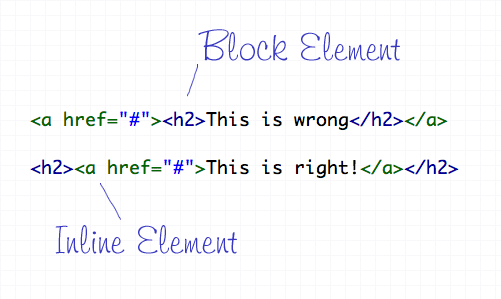
HTML elements can either be displayed in two ways, Block or Inline. Each tag by default is naturally either a block or inline element. Block elements include divs and paragraphs, that make up the structure of the document. Inline elements on the other hand should sit inside block elements and go with the flow of the document, examples include anchors and span tags. With this in mind, inline elements should always go inside block elements, and never the other way around.
Crime 2: Not Including an ALT Attribute on Images
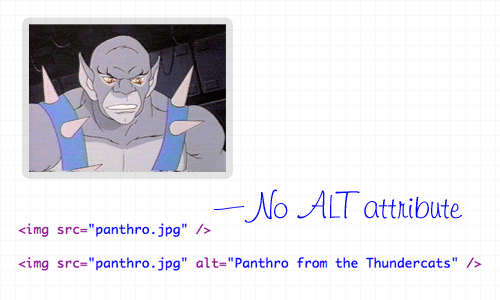
The ALT attribute is a required element on all images displayed on a web page. It helps users determine what the image is, should they be browsing on a screen reader, or simply on a slow connection. The ALT attribute should describe the image being shown, so an alt=”image” is bad practice. If the image is purely for decorative purposes, simply add an empty alt attribute, such as alt=””.
Crime 3: Not Using Lists When Necessary
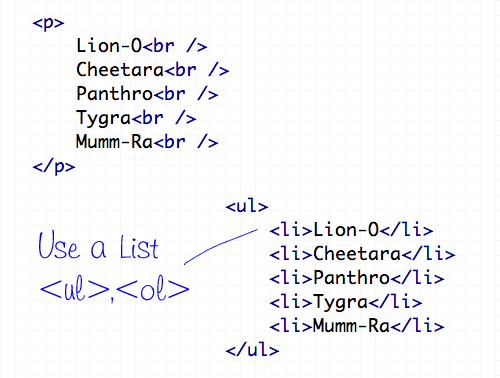
The handy UL (and OL) tags have a bunch of uses and are extremely versatile for the display of all kinds of page items. Unsurprisingly the Unordered List tag does a great job of displaying a list of information, so don’t even think about using a bunch of line breaks ever again!
Crime 4: Using <b> and <i> for Bolding and Italicizing
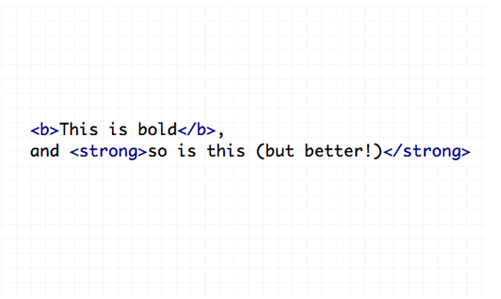
The <b> and <i> tags make the text appear bold and italic respectively, but semantically they are classed as presentational tags, therefore the effect would be best replicated with the CSS styles of font-weight and font-style. If the passage of text suggests areas of importance, they should be highlighted with the <strong> or <em> tags, which basically do the same job as <b> and <i>, but also make the world a nicer place.
Crime 5: Using Too Many Line Breaks
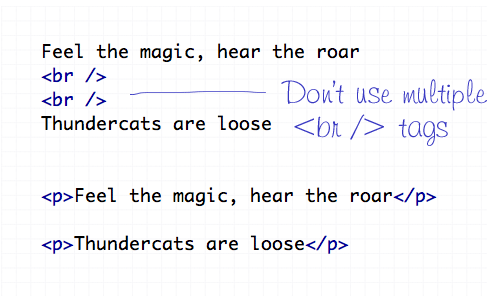
The line break tag of <br /> should only be used to insert is single line breaks in the flow of paragraph text to knock a particularly word down onto a new line. It shouldn’t be used to make gaps between elements, instead, split the text into separate paragraphs, or adjust the margin styled by CSS.
Crime 6: Using The Wrong Strikethrough Tags
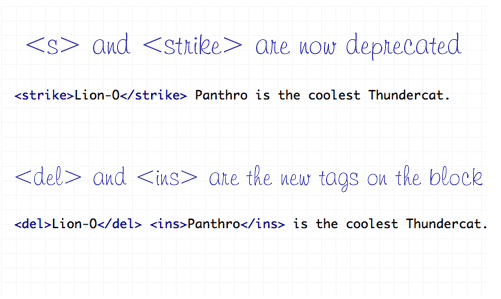
In the olden days, <s> and <strike> were around to allow edits and amends to web text. However they are now classed as deprecated tags, which means they still work fine (in Transitional), but there’s a set of new tags on the block – <del> and <ins>. These new tags are used together to show deleted, and the subsequently inserted text in a document.
Crime 7: Using Inline Styling
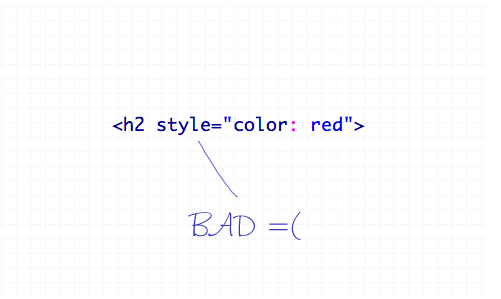
You’ve heard it a thousand times – Inline styling is bad. The whole point of semantic HTML and CSS is to separate document structure and styling, so it just doesn’t make sense to go placing styling directly in the HTML document. Remember to always keep your styles in your stylesheet where they belong.
Crime 8: Adding or Removing Borders in HTML
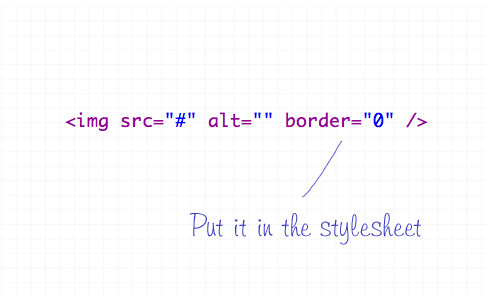
The border attribute is another presentational effect, so semantically it should be left to the CSS, even if it’s removing a default border from an element.
Crime 9: Not Using Header Tags
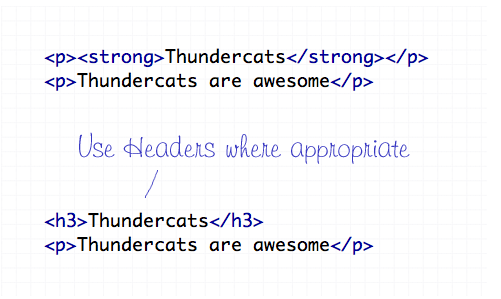
Header tags are available all the way from <h1> to <h6>, and make handy tags to separate your document into titled sections. If you have a selection of words indicating what content is due to appear next, chances are one of the header tags will fit right in. Your choice of header tag depends on the flow of your document, try to naturally insert them in order of 1-6 where appropriate.
Crime 10: The Unspeakable Use of <blink> or <marquee>
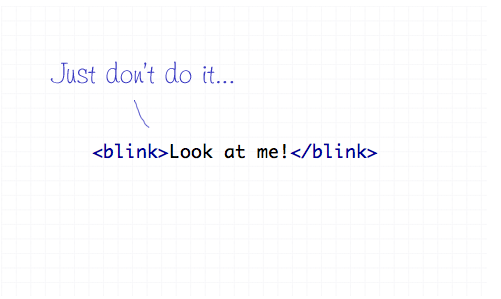
Apart from not even being part of the official collection of standard HTML endorsed by the W3 Consortium, the <blink> and <marquee> tags are just pure ugliness. If there’s something you need to draw attention to, I’m sure you can think of plenty of alternate ways to draw focus to that area of the page than to have it flash on and off or scroll across the page!
Comments are closed.