You better watch out, because the HTML police are about. They scour your code and pick out the most unspeakable crimes against HTML markup. This handy list of ten HTML tag crimes sheds some light on some of the most common coding mistakes and helps provide an alternate solution. Tips include writing valid markup, making semantic choices, avoiding deprecated tags and more!
Crime 1: Placing Block Elements Inside Inline Elements
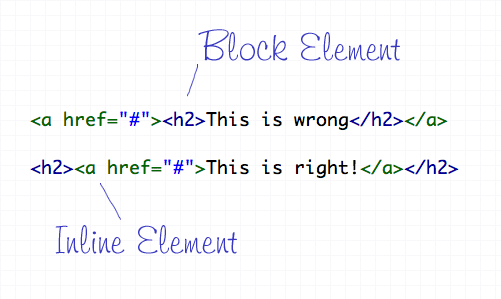
HTML elements can either be displayed in two ways, Block or Inline. Each tag by default is naturally either a block or inline element. Block elements include divs and paragraphs, that make up the structure of the document. Inline elements on the other hand should sit inside block elements and go with the flow of the document, examples include anchors and span tags. With this in mind, inline elements should always go inside block elements, and never the other way around.
Crime 2: Not Including an ALT Attribute on Images
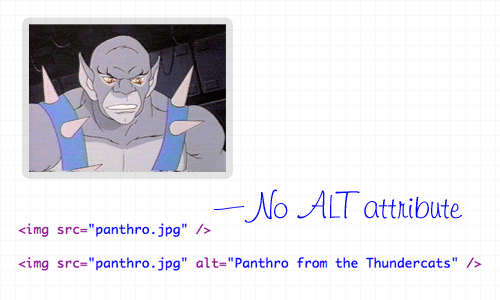
The ALT attribute is a required element on all images displayed on a web page. It helps users determine what the image is, should they be browsing on a screen reader, or simply on a slow connection. The ALT attribute should describe the image being shown, so an alt=”image” is bad practice. If the image is purely for decorative purposes, simply add an empty alt attribute, such as alt=”".
Crime 3: Not Using Lists When Necessary
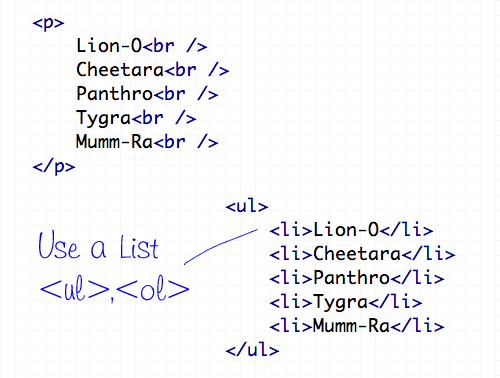
The handy UL (and OL) tags have a bunch of uses and are extremely versatile for the display of all kinds of page items. Unsurprisingly the Unordered List tag does a great job of displaying a list of information, so don’t even think about using a bunch of line breaks ever again!
Crime 4: Using <b> and <i> for Bolding and Italicizing
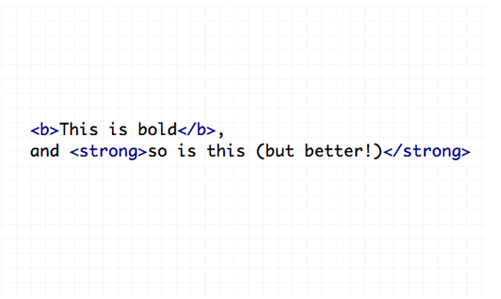
The <b> and <i> tags make the text appear bold and italic respectively, but semantically they are classed as presentational tags, therefore the effect would be best replicated with the CSS styles of font-weight and font-style. If the passage of text suggests areas of importance, they should be highlighted with the <strong> or <em> tags, which basically do the same job as <b> and <i>, but also make the world a nicer place.
Crime 5: Using Too Many Line Breaks
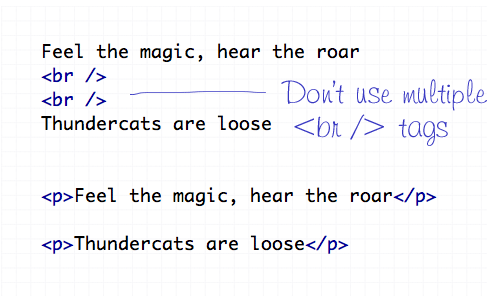
The line break tag of <br /> should only be used to insert is single line breaks in the flow of paragraph text to knock a particularly word down onto a new line. It shouldn’t be used to make gaps between elements, instead, split the text into separate paragraphs, or adjust the margin styled by CSS.
Crime 6: Using The Wrong Strikethrough Tags
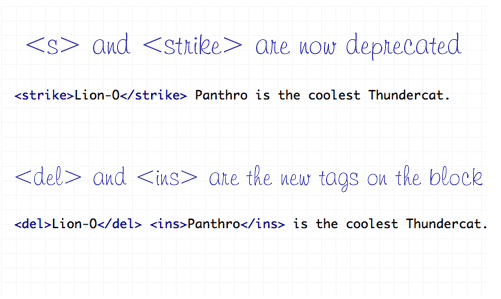
In the olden days, <s> and <strike> were around to allow edits and amends to web text. However they are now classed as deprecated tags, which means they still work fine (in Transitional), but there’s a set of new tags on the block – <del> and <ins>. These new tags are used together to show deleted, and the subsequently inserted text in a document.
Crime 7: Using Inline Styling
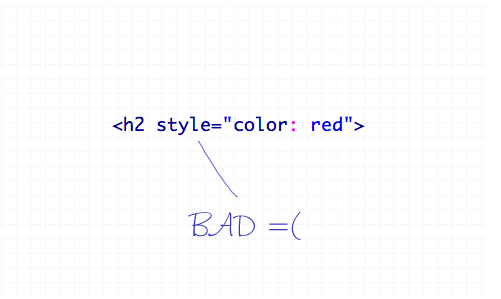
You’ve heard it a thousand times – Inline styling is bad. The whole point of semantic HTML and CSS is to separate document structure and styling, so it just doesn’t make sense to go placing styling directly in the HTML document. Remember to always keep your styles in your stylesheet where they belong.
Crime 8: Adding or Removing Borders in HTML
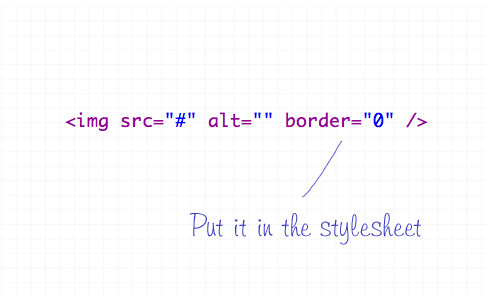
The border attribute is another presentational effect, so semantically it should be left to the CSS, even if it’s removing a default border from an element.
Crime 9: Not Using Header Tags
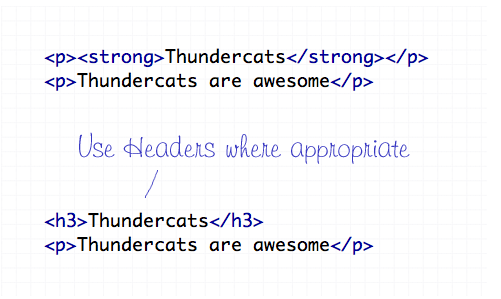
Header tags are available all the way from <h1> to <h6>, and make handy tags to separate your document into titled sections. If you have a selection of words indicating what content is due to appear next, chances are one of the header tags will fit right in. Your choice of header tag depends on the flow of your document, try to naturally insert them in order of 1-6 where appropriate.
Crime 10: The Unspeakable Use of <blink> or <marquee>
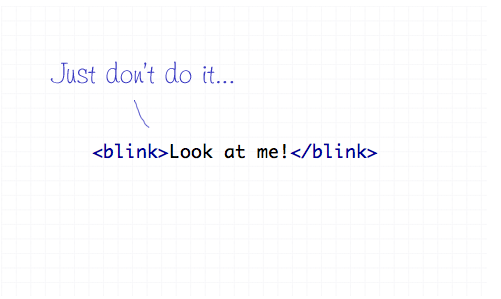
Apart from not even being part of the official collection of standard HTML endorsed by the W3 Consortium, the <blink> and <marquee> tags are just pure ugliness. If there’s something you need to draw attention to, I’m sure you can think of plenty of alternate ways to draw focus to that area of the page than to have it flash on and off or scroll across the page!

keren bozz
reti bahasa jawa rak kuwe??
hehehe
Nice article mate. I followed almost all of your tips already.
very basic but very important
Great looking post. Clean, simple, easy to read. Good job. And Snarf is the coolest Thundercat not Panthro. :)
I miss I was hoping for a comeback with variations, such as, blink-time: 2 secs or what about blink-style: rainbow? :-(
Great post, thank you.
thanks! nice and clean!
Good work.. Thank you for this article
Snarf is definitely not the coolest Thundercat.
Nice round up, but I always have found the strong over bold tag ridiculous. The purpose of the bold tag is to bold the text, and it seems to be complying perfectly with its function.
I respect web standards, but sometimes they can go to extremes that honestly make very little sense.
Thanks for posting!
Nice to know these :)
Admittedly I do some of them (such as the occasional inline styling) but I know I’m doing wrong and feel dirty, but it’s so much quicker for a simple hack :)
I disagree with the point on inline styles. Inline styles are just find as long as you don’t abuse them. If you have a corner case here and there, inline styles are a lot cleaner than an overly bloated CSS file.
I am so guilty of a lot of these crimes!!! But I guess that’s what happens when you are self-taught. In the last couple of years I have managed to get away from a lot of these crimes but I’m glad you posted this because now I can be more aware of my faults. Thanks for the reminder.
BTW… Kudos on the Thundercat shout outs. That cartoon brings back great childhood memories.
I used to do all those when i first started out :D
Wow! Great collection of teaching instructions :)
I’m am no longer guilty of crime #9.
the only one i struggle with occasionally is number 1 – sometimes its cool to have a whole div be a link (and not just the text inside it). anyway around that? How naughty is it anyway?
inline style is really handy if there are used only once in somewhere of your document.
put trivial styles all in external css file some times doesn’t make sense.
Wicked article! especially for a someone like me who’s in the learning stage of webdesign and wishes to do things right from the start, as opposed to getting into bad habits (that’ll come later no doubt).
Thanks.
=) thanx, interesting
Chris, you made 10 crimes in your article. Where are alt attributes on images? :)
Second Ozh on b/strong elements’ SEO usefulness. Also second Ken on usefulness of inline styles. And thanks for the reminder on del/ins over strike (guilty as charged).
@Ozh
Wrong, it’s never appropriate to anything for the sake of SEO, not to mention that a header tag (ie, ) holds more weight than a tag does (semantically speaking).
HAHAHA!
I second Ozh, Was just about to mention that but you beat me to it
Strong tags can help with page weight.
Thanks for remembering some sins we shouldn’t commit, especially the “alt” tag if we think more of visually impaired web site surfers.
very useful info. thanks.
very useful info.
Alt tags should be empty unless the image contains information related to the text. That is, if the image is just some bling for the page and you add alt text your just spamming the poor visually impaired guy with useless noise. how often do you in a conversation stop and say ‘panthro from the thundercats’ then continue talking ?
Amazing Article!
Beware of the SEO do’s and don’t!
Good style is always appreciated.
Many good point. Thanks.
Beware of SEO do’s and don’ts. Good style is always appreciated.
You mention a lot of good points!
nice post.
imho, a counter-crime on the b and i tags is overuse of strong and em. b and i are often actually the correct tags for bold and italic when the content is semantically bold or italic. i.e., a book title or a ship’s name that takes italic should actually get the i tag (since you’re not really emphasizing that bit, but italicizing it).
Major props for showing love to the Thundercats… If you use GoBots in your next post, I’ll be a fan for life.
Great post Chris.I still have some of these terribly poor habits. I think most of it comes from us older guys that learned html before CSS even existed.
Separating semantics from design using CSS is going to be more important than ever in the next few years.
You should write a post on Microformats next and why they becoming more important every day.
An Excellent list and the Thundercats touch was great, although Transformers would have been better. :-) I’m adding this blog to my feed reader and going to fix my tags. I’m still working off my knowledge from 1996.
Much Apreciated! and memorized! Thanks for the tips!
Fussy or what!
Wow!! Its amazing. I’m not committing any of the crimes, may be just missing alt attributes for images sometimes. but, will fix that in page validation process.
Do you really think that a “strong”a-tag is more important than a CSS-Strong-a-tag?
A Link is not more or less than a Link, a Bold Link ist only a Style, if you have a Linklist with many Links then “strong” is the way to style the one more important Link Bold. If you have only strong Links – CSS is the better way.
Thanks interesting
Simply love this article. Excellent work.
I can only agree completely on #1 and #10, but I also use tables for layout occasionally, so maybe you should put me in jail ;-)
Another thing you should have mentioned about header tags is not to skip levels. In other words, don’t do this:
<h1>Lions</h1>
<h3>Tigerss</h3>
<h5>Bears</h5>
Instead:
<h1>Lions</h1>
<h2>Tigerss</h2>
<h3>Bears</h3>
Disagree (slightly) with and tags. They are *not* the same as and . For example, is used for emphasis, and the formatting is dependent upon CSS. Italics, on the other hand, are mandated for the titles of books, and have a different semantic meaning than emphasis. For example, the CSS may designate as using a bold face, but book titles still need to be in italics.
oh yes, absolutely correct. it’s really sad that most of us don’t really bother about these html tags but these are really important from SEO point of view as well.
nice article. please write some more of articles focusing seo.
thanks
Hi. Can I translate this post to Spanish? and publish it in my blog. Obviously with your credits.
so old…
coooool, i learned a lot, many thanks
Important and very basic points. Very useful article.